SACD ISO Patcher 2.11.0 · 28-08-2026
Edit a disc you have
Change the words inside an SACD .iso in place - album, artists, track titles, year, catalogue number - without re-authoring the disc. Extract the audio to DSF or DFF.
Two tools for SACD disc images. One edits a disc you already have; the other builds a new one from your own DSD recordings.
Change the words inside an SACD .iso in place - album, artists, track titles, year, catalogue number - without re-authoring the disc. Extract the audio to DSF or DFF.
Author a complete SACD image from your own DSD files - stereo, multichannel, or both areas on one disc - with the full disc and per-track text the format allows.
Download reauthor What it does, screenshots, how to use itWindows 10 / 11, 64-bit · a single .exe each, no installer · free for personal use
reauthor builds an SACD from scratch. You bring your own DSD recordings (.dsf or .dff files), and the program assembles a real disc image out of them: a stereo area, a multichannel area, or both - with track titles, performers, year, genres and all the other text a player will show (if it can show it at all).
It is for people who already have the music in DSD but no disc image: their own recordings, transfers from tape or vinyl, DSD albums they have bought. It is all quite simple, and quite hard to get wrong - a window of five steps is enough: disc, audio, text, tracks, review.
What comes out is an ordinary .iso, made to the SACD standard. Keep it in your collection and play it with any software player that understands SACD-ISO, or burn it to a disc if your stationary SACD player can read one. Mine does.
No installation - one binary, or two if you want the command-line version as well. Completely free for home and non-commercial use.
Every service structure the format needs is built for you - the tables of contents, the track lists, the text blocks, the file system - and written to a single .iso.
One disc can carry a 2-channel Stereo area, a Multichannel area, or both at once. The role of each channel is worked out from the sound itself, not guessed from the file order.
DSD64 in .dsf or .dff, one file per track - or a single DSDIFF Edited Master holding the whole disc with the track boundaries marked inside it.
Album, disc and track titles, performers, composers, songwriters, publisher, copyright, catalogue number, date, genres, ISRC - in up to eight languages at once, each in its own character set.
A pause before any track, index marks inside a track for players to start from, and a plain zero where two tracks must run without a gap.
The project is checked against the standard before the build starts, and the finished image is read back and checked again. If anything does not match, you do not get a file - and a cancelled build leaves nothing half-written.
I wrote it for myself. I like keeping my large SACD collection as disc images, and I kept running into the same wall: the music was there, in DSD, and there was no way to put it back into the shape a disc has - not without a studio tool priced for a studio.
The DST packer here compresses better than a good many proprietary ones, so I re-author rips I already have and save a great deal of space doing it.
Having done the work, I am glad to share it with the audiophile community.
Five steps from a folder of DSD files to a finished, self-checked disc image. Click any shot to flip through them.
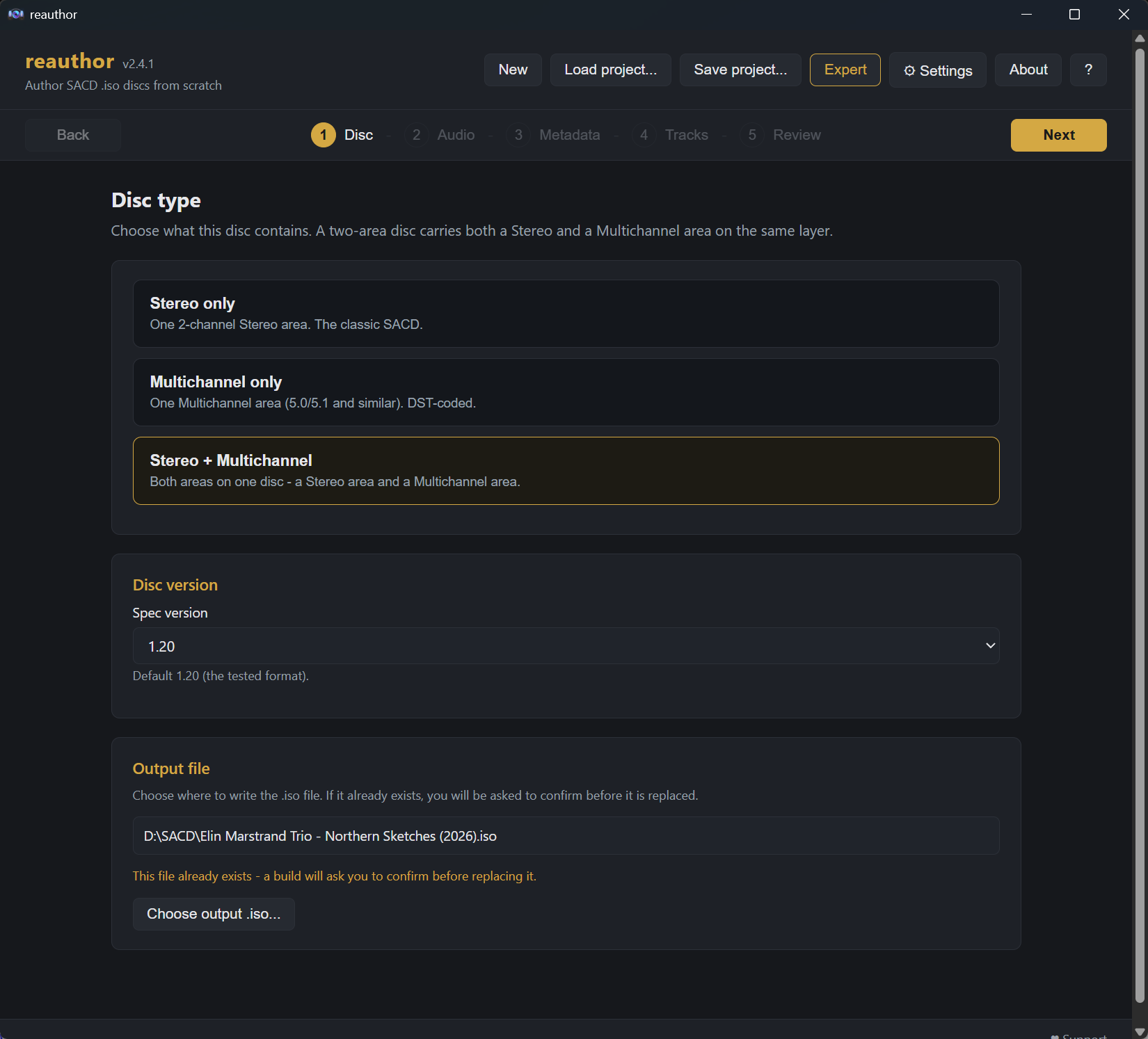
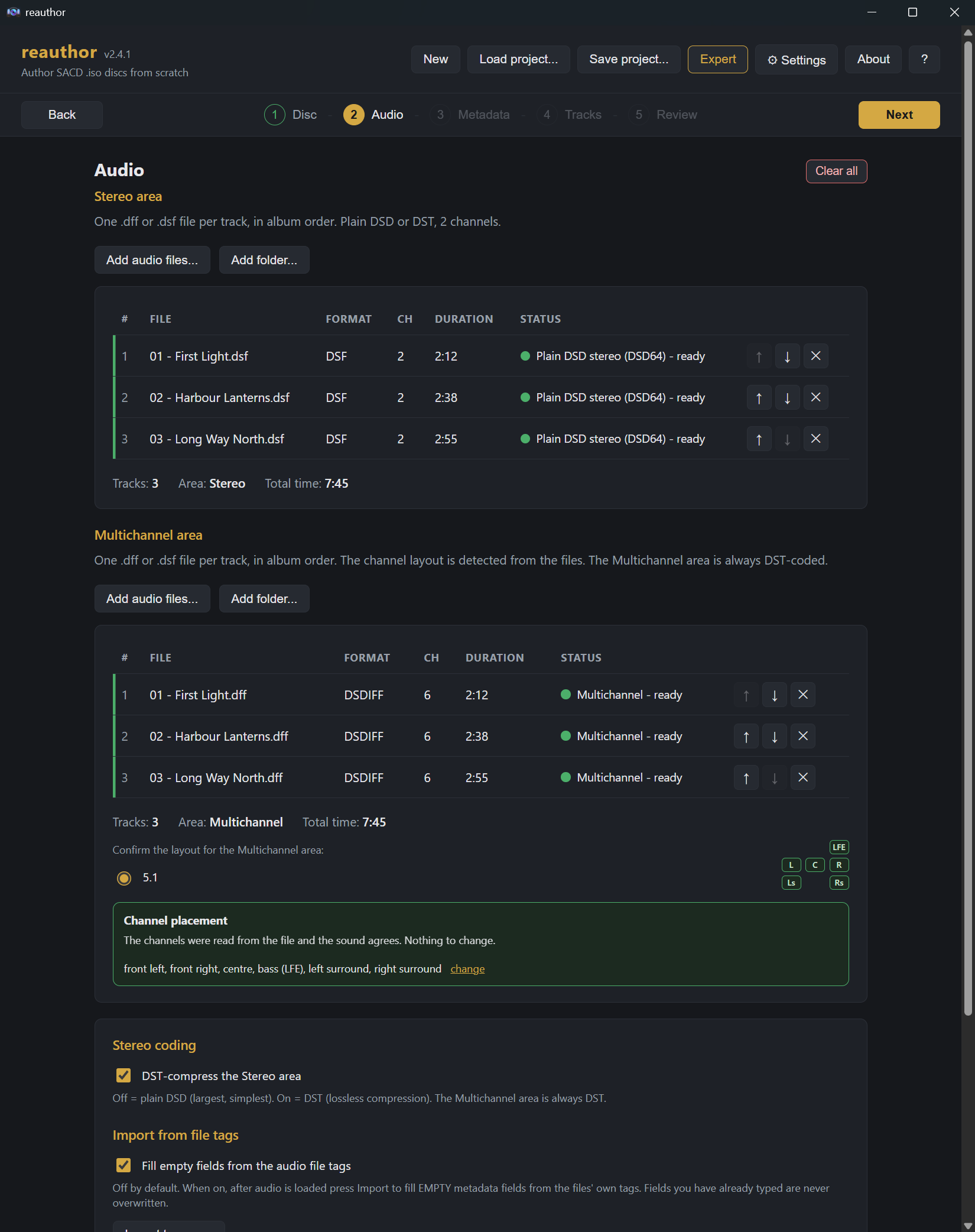
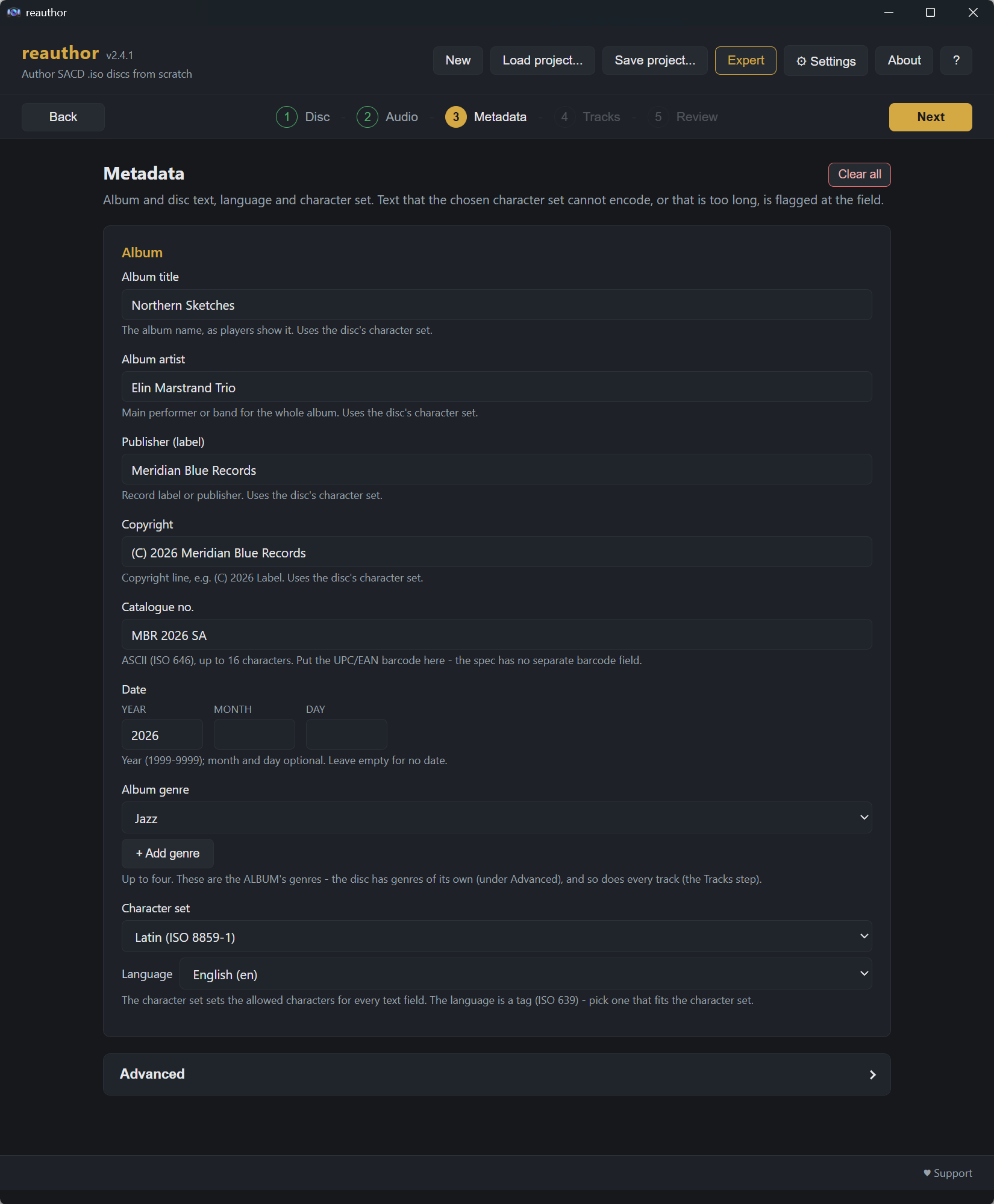
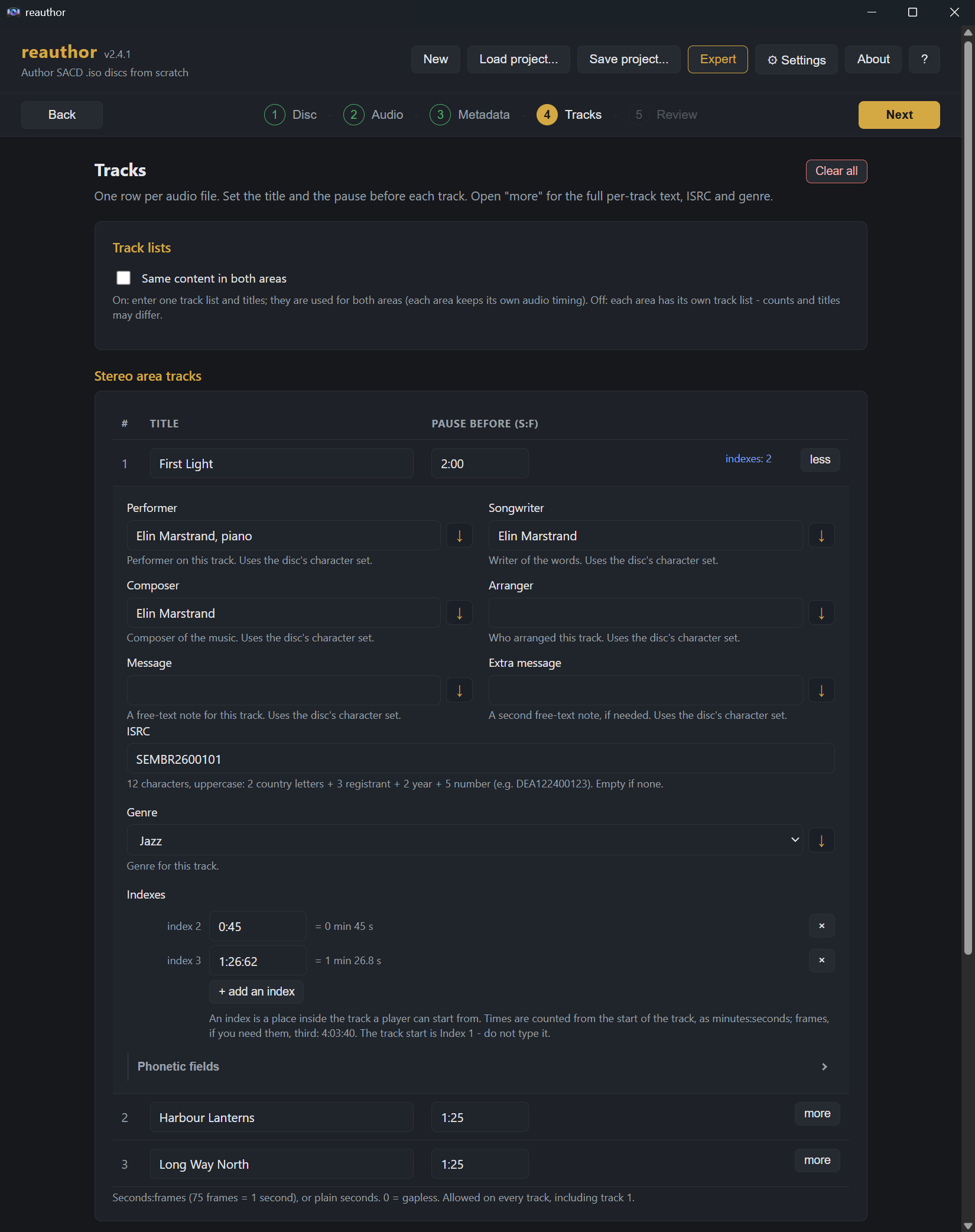
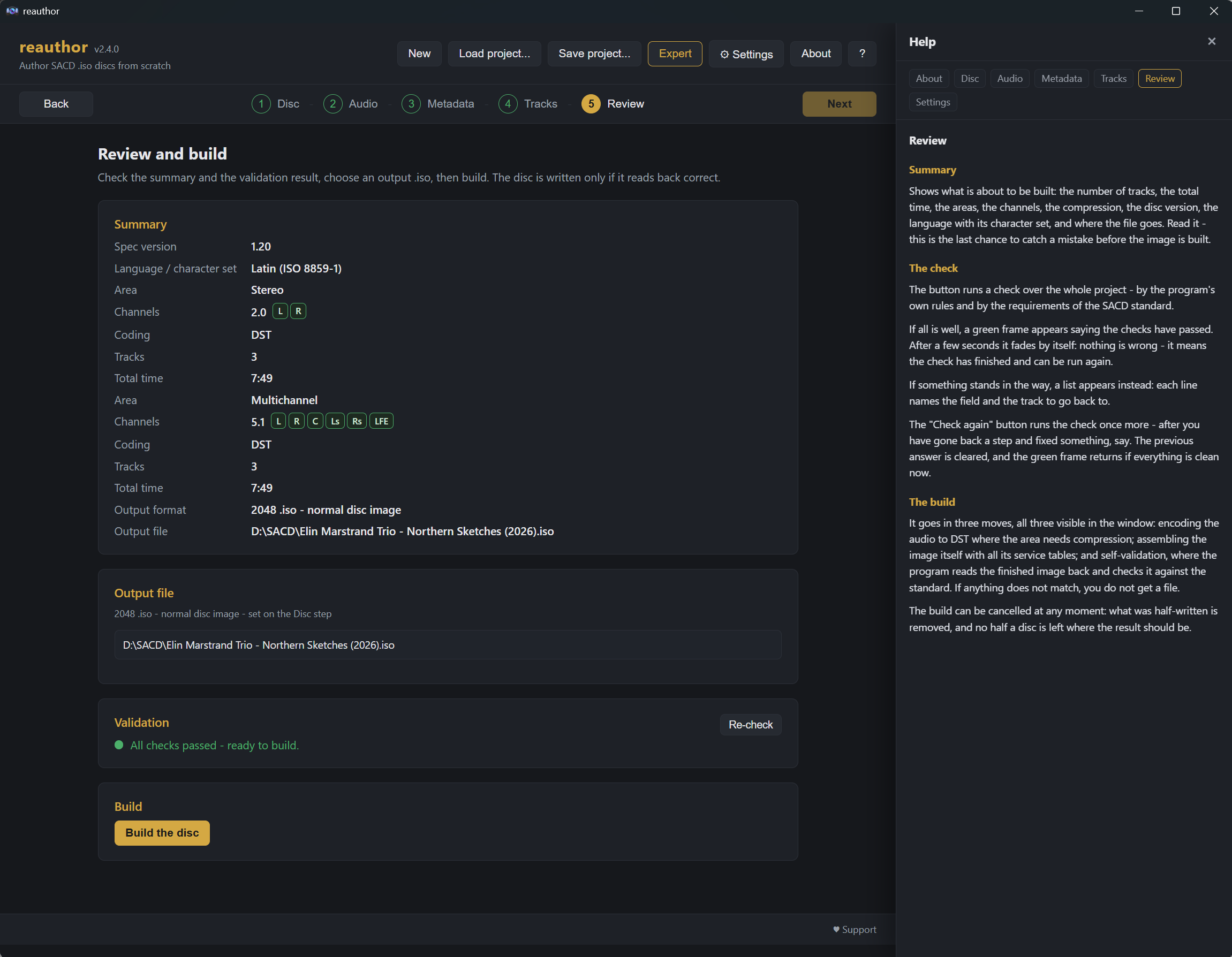
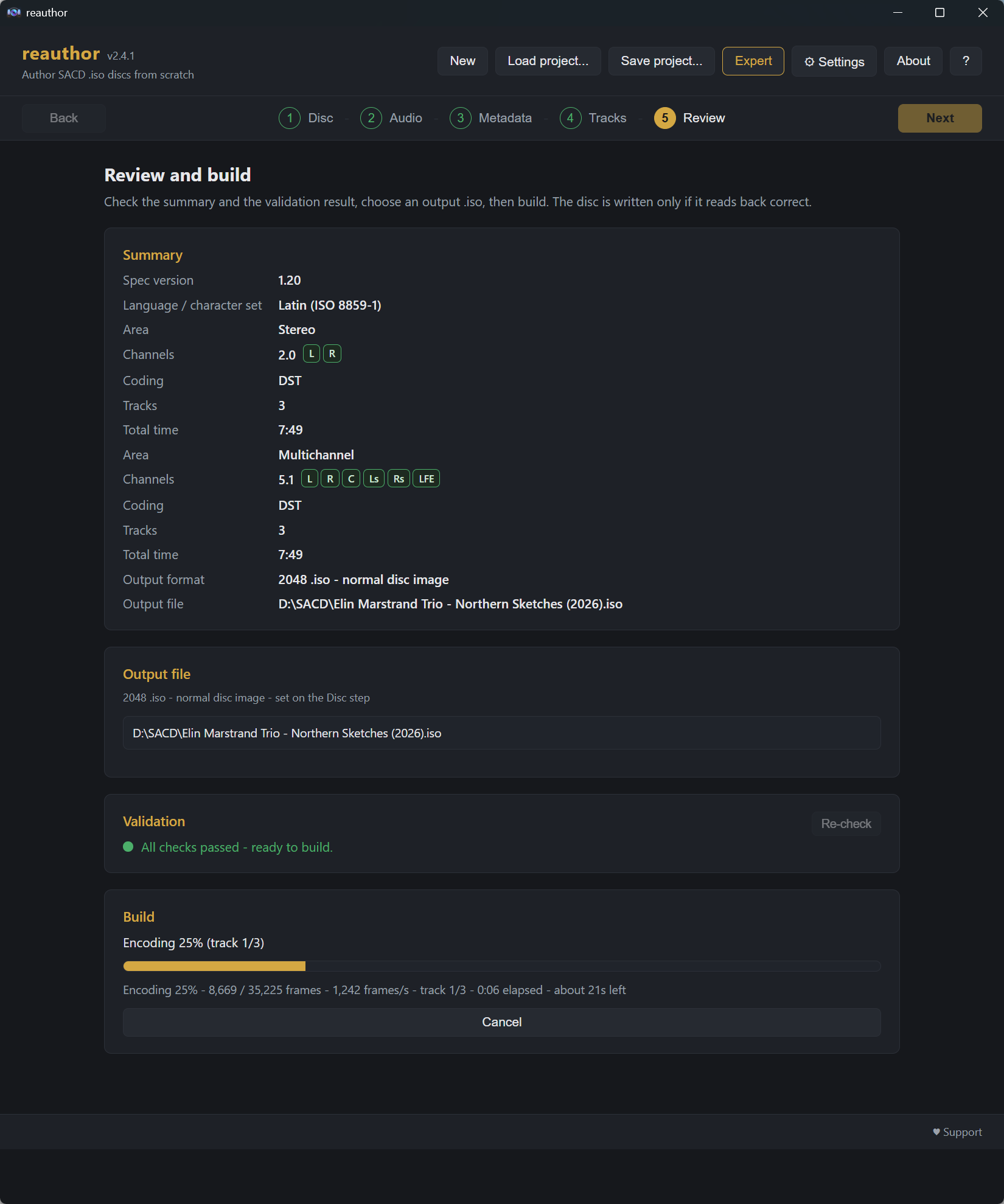
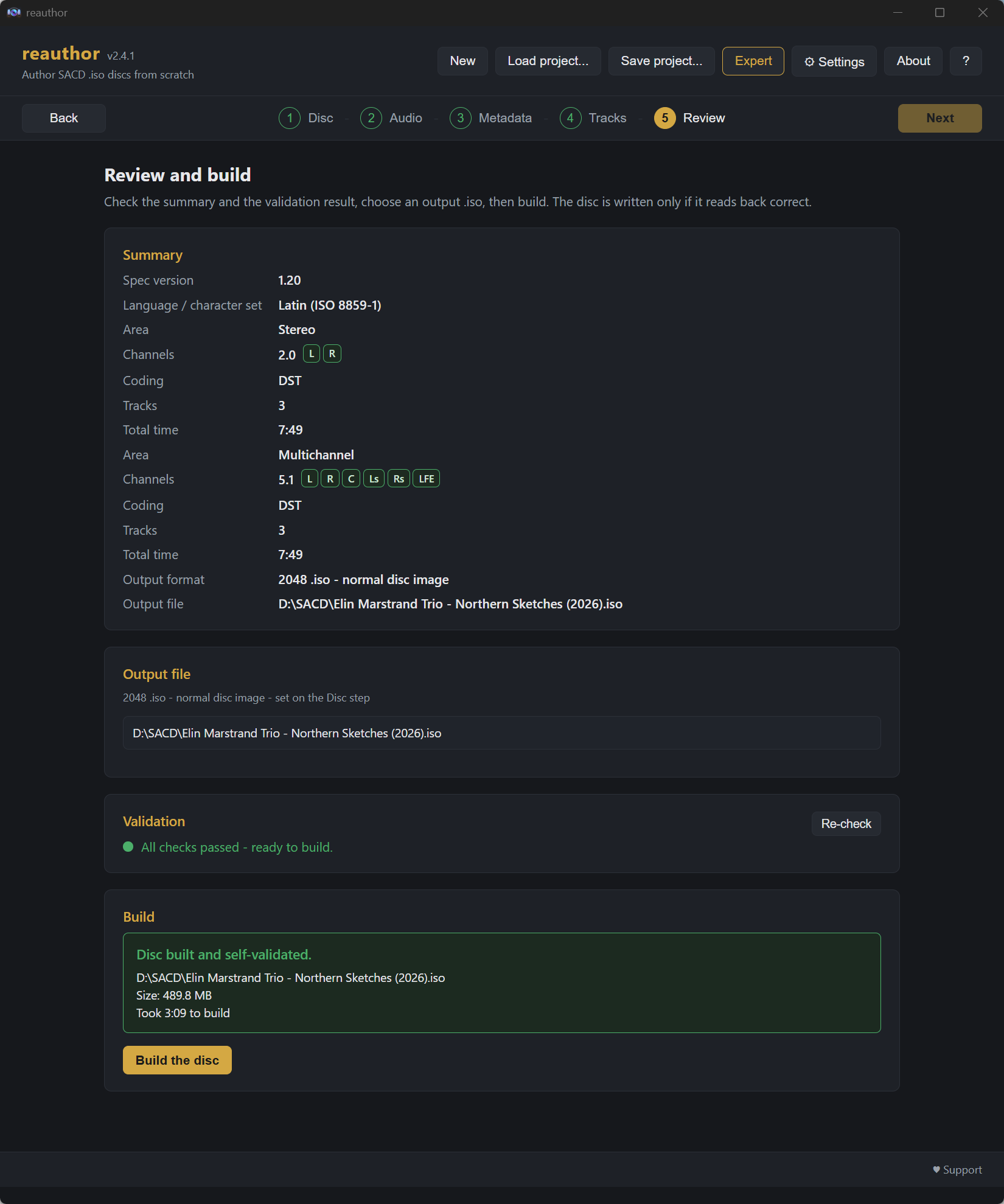
.iso goes..dff / .dsf files, or a whole folder at a time - one folder per area, so stereo and multichannel never mix. Each file is checked as it arrives.An SACD is not a folder of tracks. Around the music sits a structure the format prescribes down to the sector, and everything below comes from the Scarlet Book specification that defines it. A disc is playable only if that structure is right - which is why authoring is a job for a program rather than a copy command.
The tables of contents. The Master TOC exists in three identical copies, at logical sectors 510, 520 and 530 (spec 2.2.4). Each audio area is built as Area TOC-1, then the Track Area, then Area TOC-2, and Area TOC-2 is a copy of Area TOC-1 (spec 2.2.6). reauthor writes all of them, and writes them consistently: a disc whose own tables disagree is a disc some players read one way and others another.
The text. Album, disc and track text lives in those tables, one block per text channel, and a disc may declare up to eight channels - eight languages, each in its own character set (spec 1.7.2.8.1). Every declared channel must carry at least one text item (spec 1.7.2.8), so an empty language is not a cosmetic problem: it makes the disc invalid, and the program says so before the build rather than after.
The audio. Input is DSD64 in .dsf or .dff, one file per track, or a single DSDIFF Edited Master carrying the whole disc. The Multichannel area is always lossless-compressed: "The audio information in the Multi Channel Area must be DST coded DSD" (spec 2.2.6.2.6). For the Stereo area compression is your choice - plain DSD is simplest and largest, DST is smaller and bit-identical. A last frame that is not full is completed with silence rather than cut short, so the disc never ends mid-frame.
The channel roles. Which channel of a multichannel file is the centre, and which the bass, is worked out from the sound itself - because the file often does not say, or says it wrong. The program shows you what it found and lets you overrule it before anything is written.
Before you get a file. The project is checked against the standard first. The build then encodes, assembles the image, and reads the finished file back to check it again - and if anything does not match, no file is produced. A build you cancel leaves nothing half-written, and an existing image is never replaced without your say-so.
SHA-256 5714bcdd8fa4afa35eec5a1e98eda0a8d8e550c125297a173c0ddebee46d0f40
The bundle includes reauthor-cli.exe, a console version for scripting and batch work. You do not need it for normal use - the window does everything. It can make a project from a folder of audio or from an Edited Master, say which channel of a multichannel file is which, build the disc, and map a finished image field by field. Run reauthor-cli --help for every command with examples. English by default; add --lang ru for Russian.
Album, disc and track titles, artists, publishers, copyright, catalog numbers, release date, genres and ISRC - written straight into the ISO, in multiple languages.
When a disc's stereo and multichannel areas carry different text, each area is edited on its own tab - no guesswork, no cross-contamination.
Export tracks to DSF, DFF (DSD), DFF (DST) or a DSDIFF Edit Master - fast and bit-exact - by layer and selected tracks, neatly foldered so formats never overwrite each other.
Look up a release on Discogs or MusicBrainz by catalog number, barcode or artist + album - including per-track performer, composer and arranger credits, with instruments - then apply.
Every sector a write touches is backed up first. A save is all-or-nothing, and a backup that cannot restore byte-for-byte is refused rather than written.
A separate console build is included for scripting and batch work - describe, extract, edit (always backing up first) and look up releases, English or Russian.
Like most useful tools, this one was born from irritation.
Some music-player libraries are pedantic in the worst way. Write the same artist in two different letter-cases on two discs - Keith Jarrett here, KEITH JARRETT there - and they will quietly file them as two strangers who happen to share a name, scattering one artist across your collection.
And then there are the discs themselves. Many early SACDs arrived almost mute: no track titles, a missing year, an absent catalog number, a performer left off entirely - just Track 1, Track 2, Track 3 where a whole program of music should be.
You could re-rip and re-author a multi-gigabyte image to fix a single typo - or you could reach inside the disc image and correct the words directly, leaving every audio sample exactly where it was. That second idea became SACD ISO Patcher.
From a near-mute early SACD to fully tagged, saved, verified and extracted - the whole flow. Click any shot to flip through them.
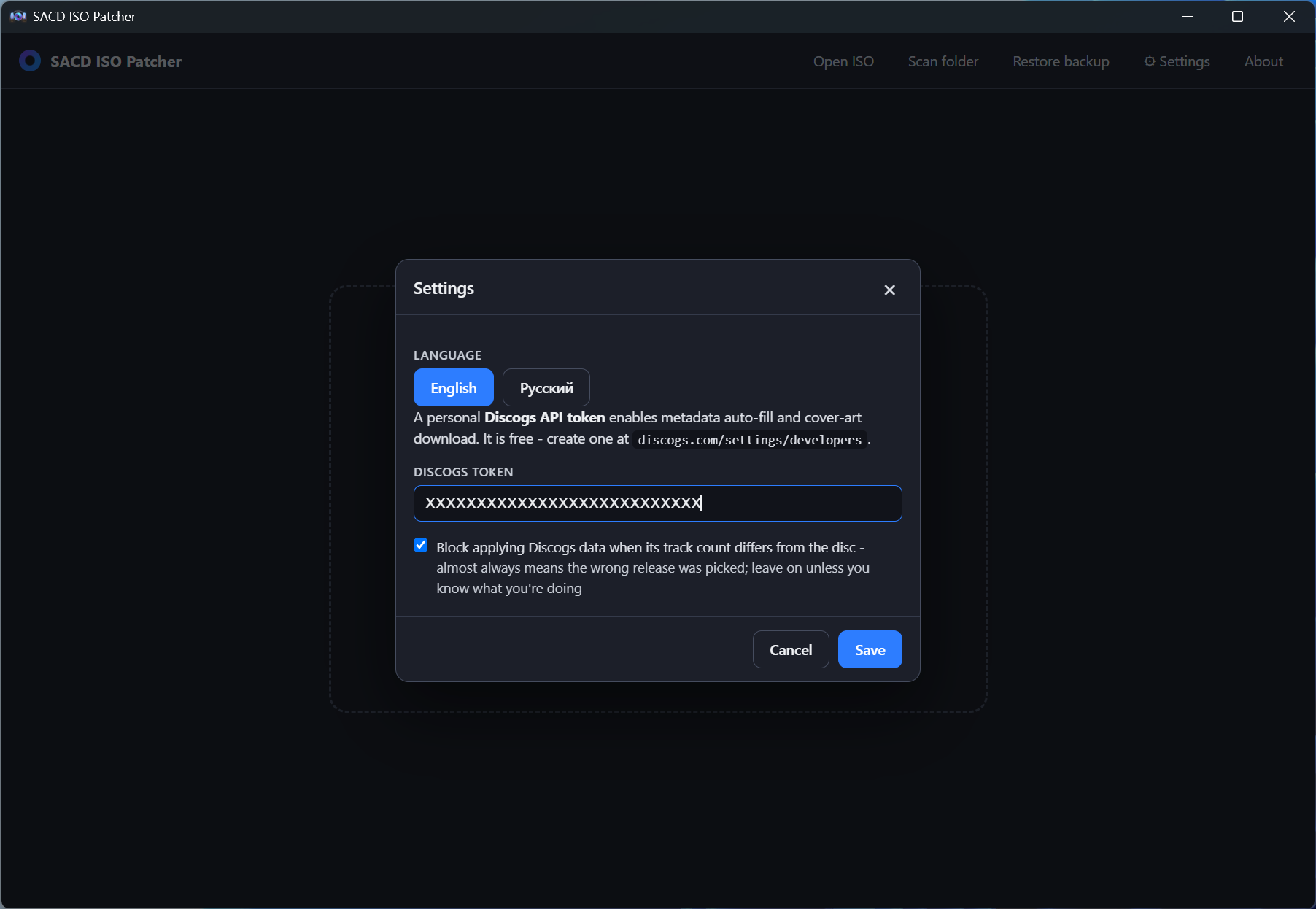
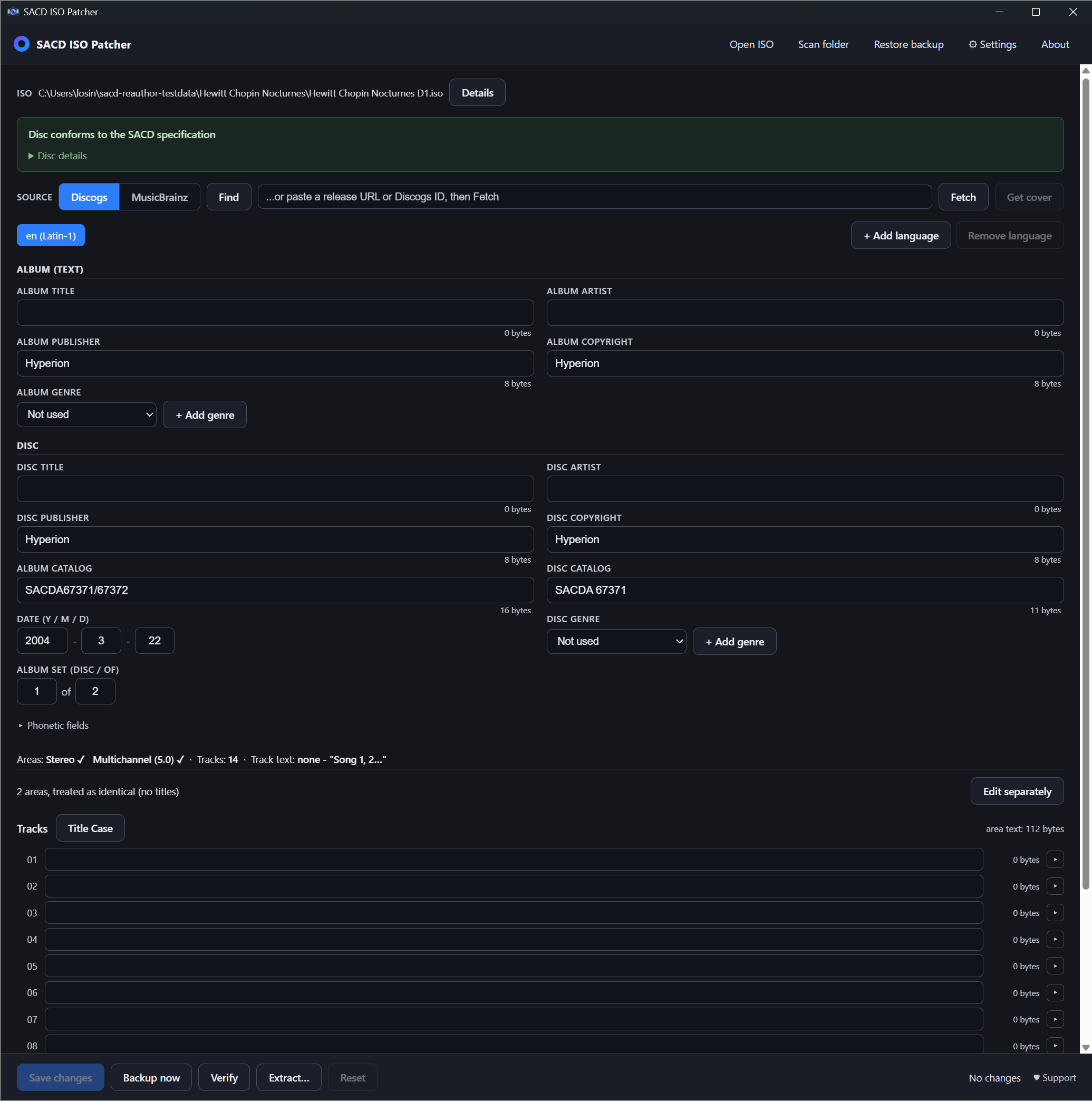
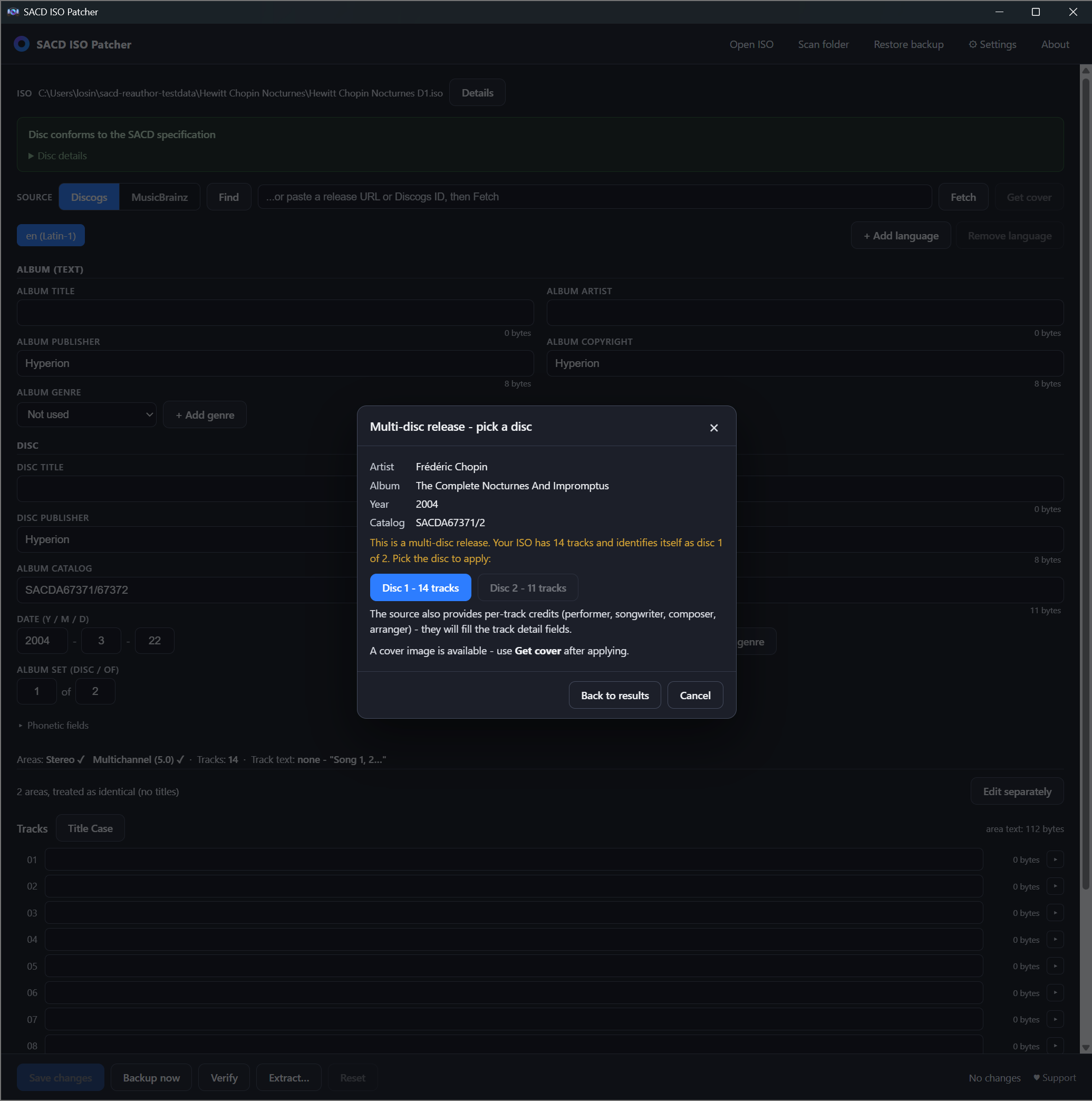
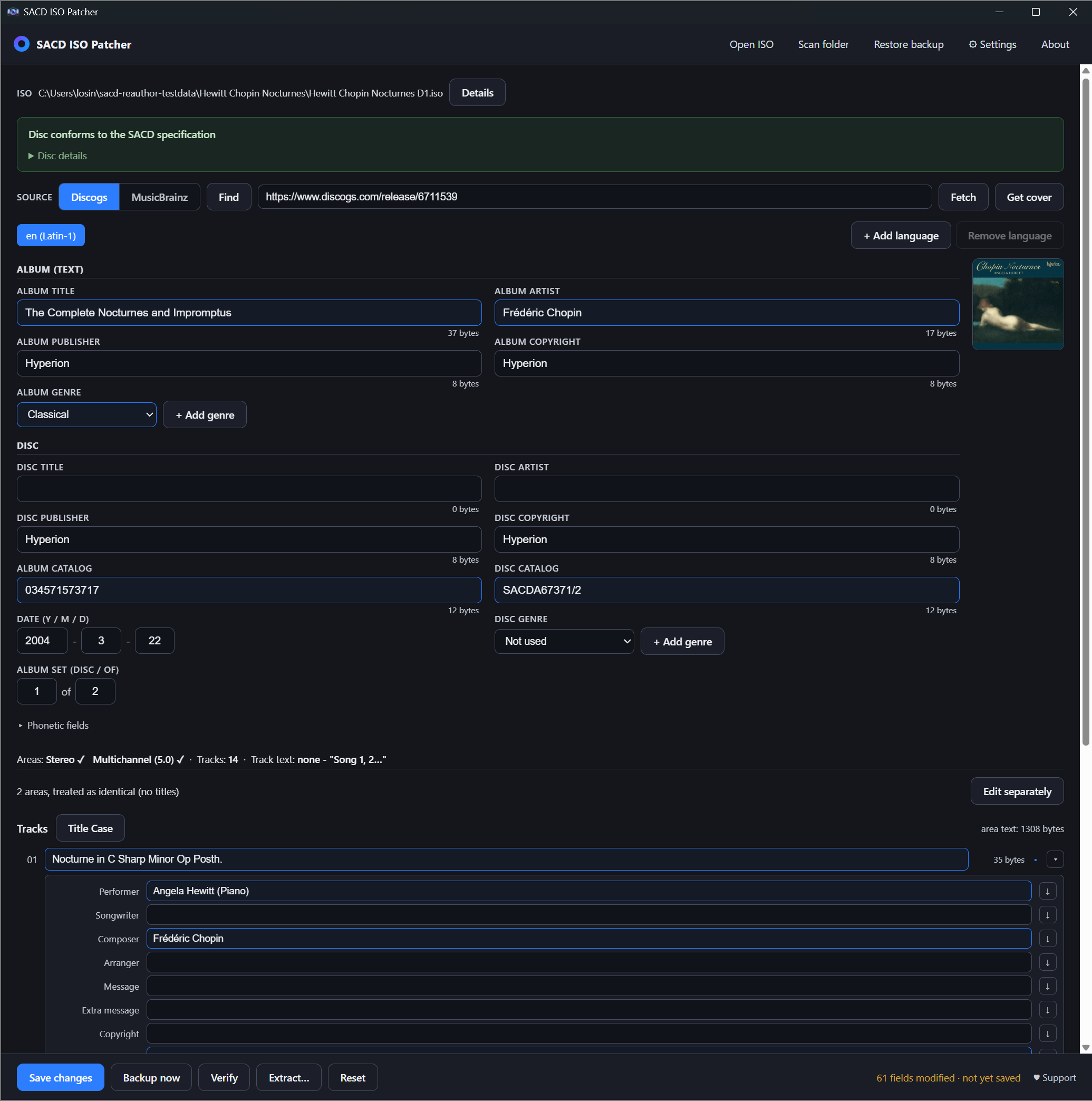
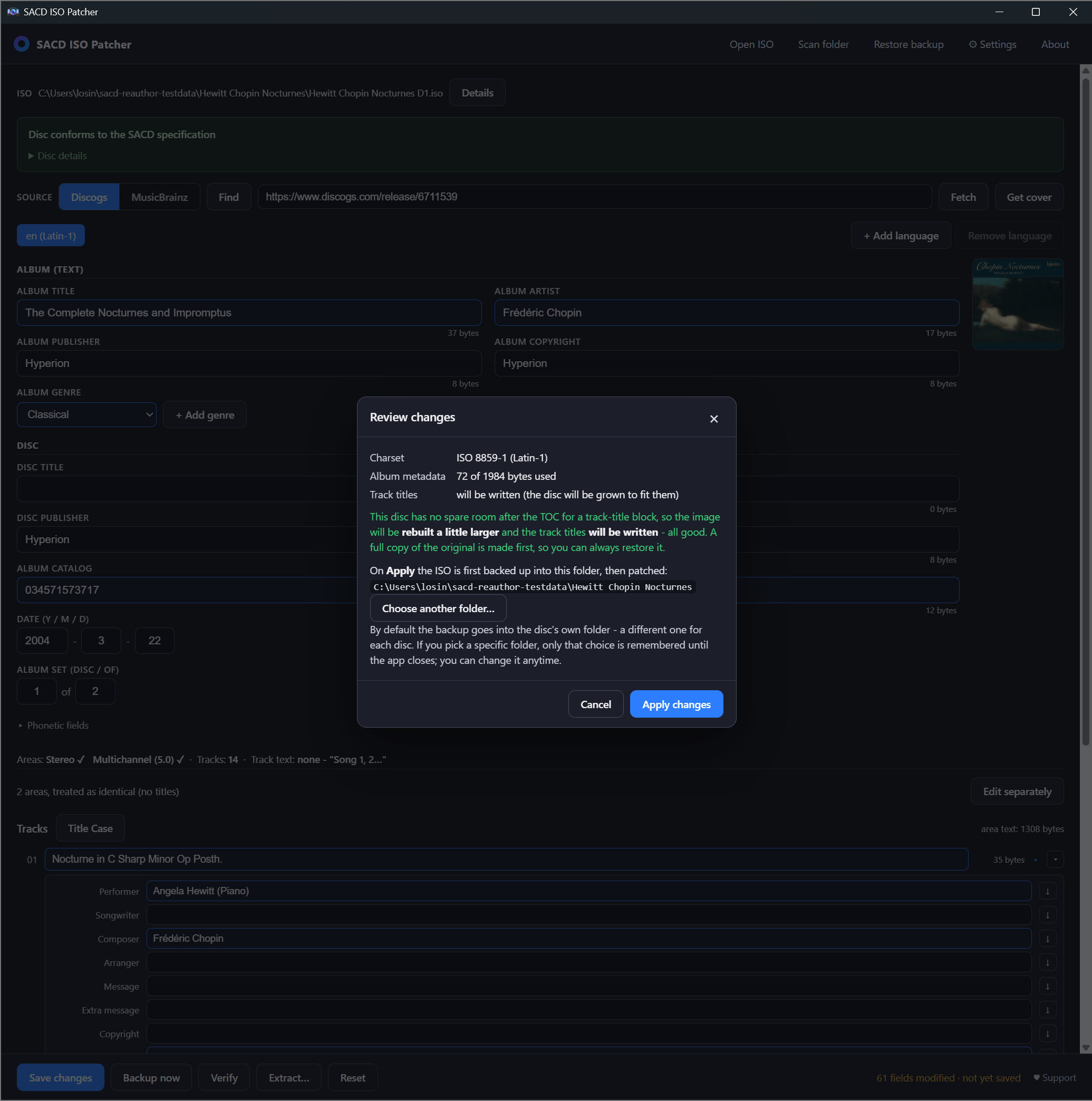
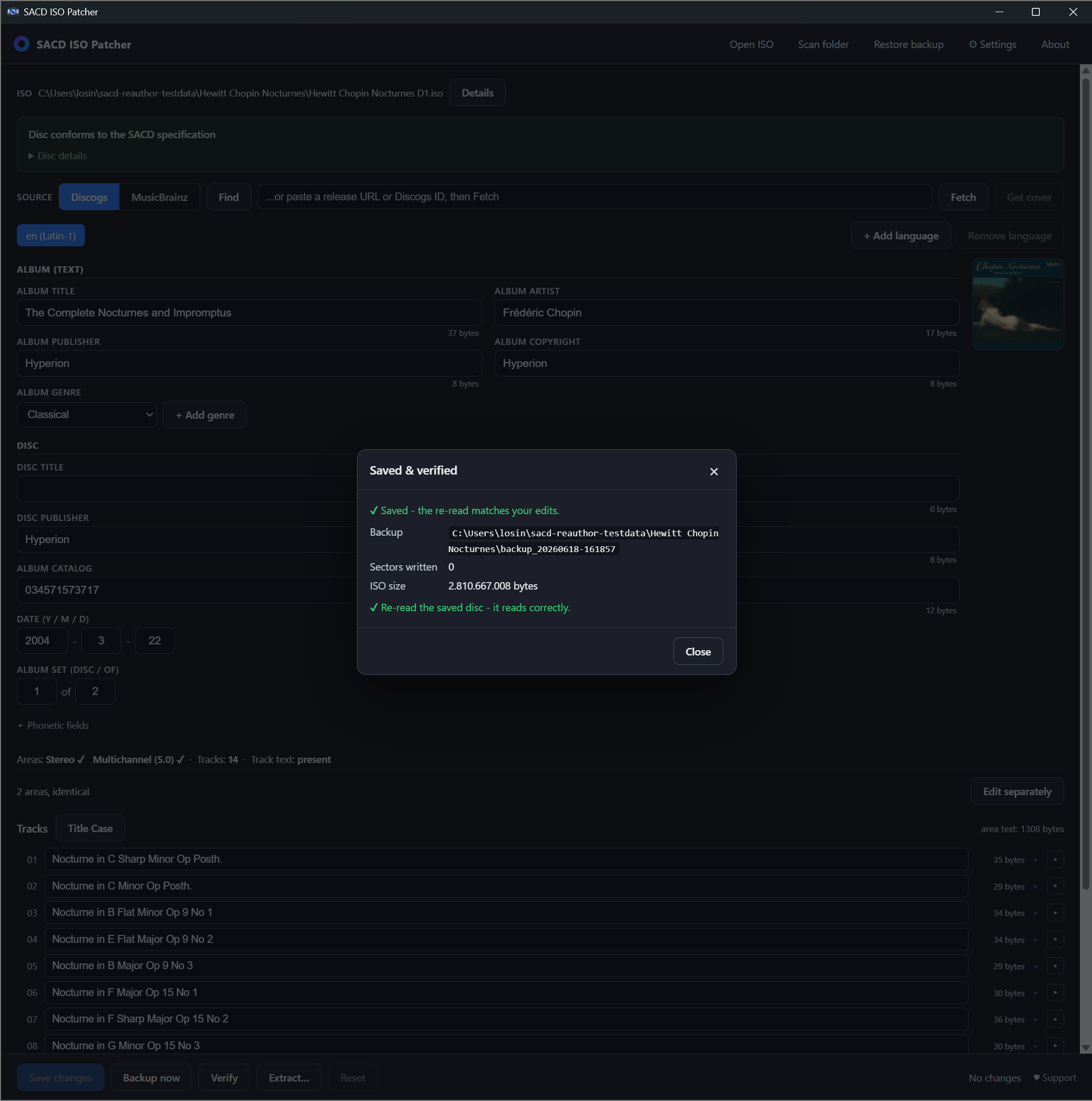
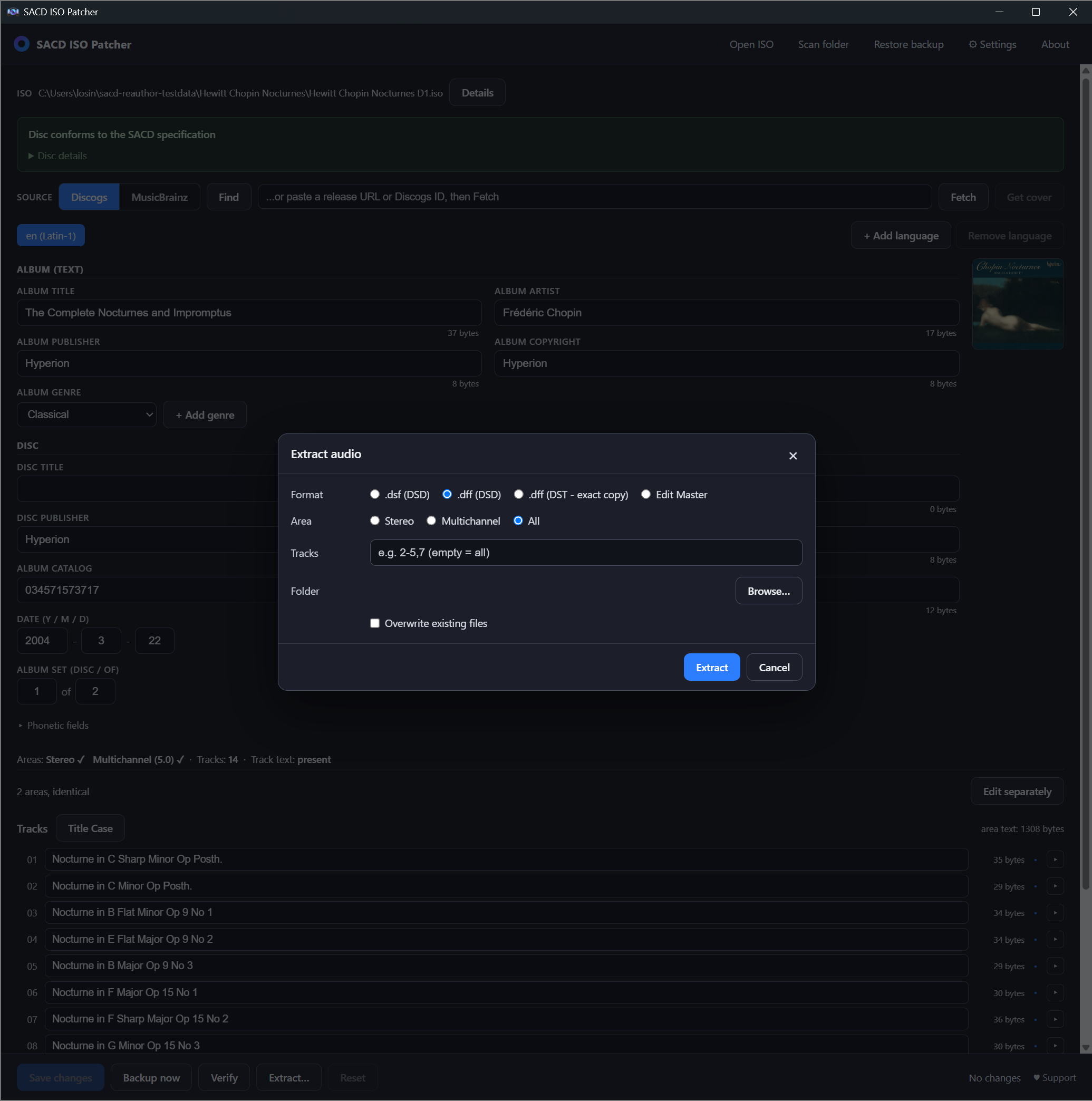
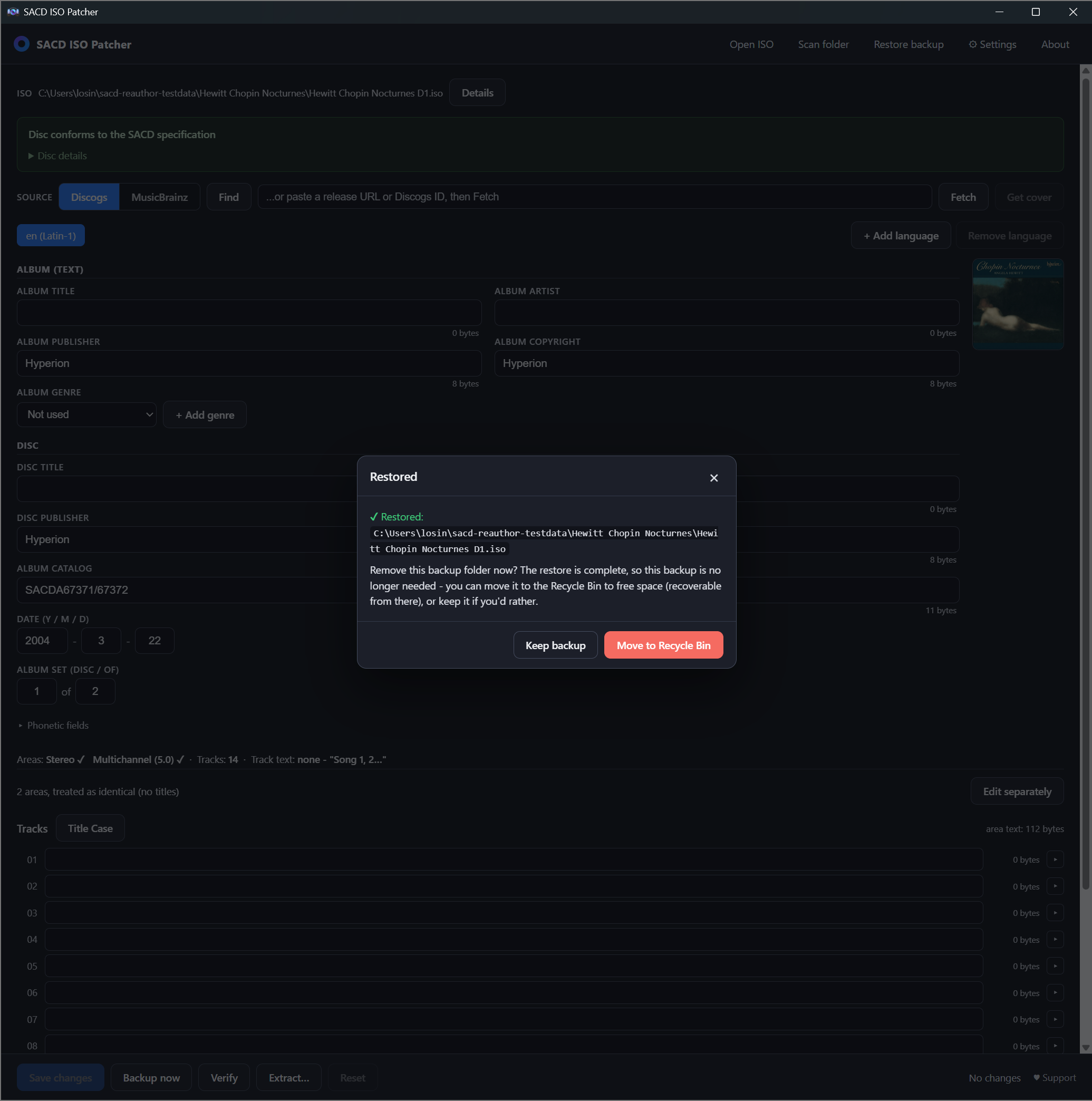
.iso - File > Open, or drag and drop.An SACD keeps its words and its music in different places. The text you see on a player - album, disc and track titles, artists, publishers, copyright - lives in tables of contents, not interleaved with the audio. That separation is what makes editing in place possible at all, and everything below comes from the Scarlet Book specification that defines the format.
Album and disc level. The Master TOC Area holds three identical copies of the Master TOC, stored at logical sectors 510, 520 and 530 (spec 2.2.4). The text itself sits in a structure called Master_Text, and its size is exactly one sector per text channel (spec 3.1.2). A text channel is one language: a disc may carry up to eight of them (spec 1.7.2.8.1), which is why the same album can show Latin titles to one player and Japanese to another.
Track level. Each audio area - the stereo one, the multichannel one - is built as Area TOC-1, then the Track Area, then Area TOC-2, and Area TOC-2 is a copy of Area TOC-1 (spec 2.2.6). Track titles and credits live in a Track_Text block inside those area tables. Each track may carry at most ten text items per channel (spec 3.2.6.3), which is what limits how many separate fields - title, performer, composer, arranger, message, copyright and their phonetic variants - a single track can hold.
Why the audio is never touched. The Track Area, where the DSD audio actually is, takes no part in a metadata edit. Rewriting a title changes bytes in the tables of contents only. Nothing shifts, nothing is re-encoded, and the audio sectors keep their exact positions - which is why an edit takes seconds on an image of several gigabytes instead of the hours a re-authoring run would need.
Why copies matter. Because the format mandates duplicates - three Master TOCs, and Area TOC-2 mirroring Area TOC-1 - a naive editor that rewrote only the first copy would leave a disc whose own tables disagree with each other. Every copy has to be updated together, or the result is a disc that some players read one way and others another.
What happens when you press Save. Before a single byte is written, every sector the change will touch is copied into a backup file. The write is then all-or-nothing: either the whole edit lands or the image is left exactly as it was. Afterwards the image is read back and compared against what you asked for, so a save that silently went wrong cannot pass unnoticed. A backup that could not restore the original byte for byte is refused rather than written - the point of the program is that an irreplaceable rip survives it.
SHA-256 561da4b01ecf0e12512b561a15e40bc929b2962c64d107762d5506af5ea8df87
The bundle includes sacd-iso-patcher-cli.exe, a console version for scripting and batch work. You do not need it for normal use - the app does everything with a window. Run sacd-iso-patcher-cli --help for every command with examples. English by default; add --lang ru for Russian.
Both programs are free, for personal use - use them, copy them, share them. Selling them and any commercial use are forbidden. Provided "as is", without warranty. Third-party components and their licenses ship with each download.
By Oskar Iossad - reauthor@foreigner.cc. Built with Tauri (Rust + WebView2).
If either program saved you time, a thank-you is welcome - entirely optional. Two ways: PayPal, or card or wallet - the second one takes cards, Apple Pay and Google Pay, and offers local wallets to payers who have them.